
This week is a big one if you live in AI Chat or send a lot of itineraries. AI Chat now understands the page you're working from, takes files, and listens when you talk instead of type. Itineraries get new layouts, fonts, and a fresh footer. And if you work with consortia, updating client preferences in bulk no longer means exporting and re-importing your whole list. Here is what shipped.
AI Chat works on voice (and with files!)
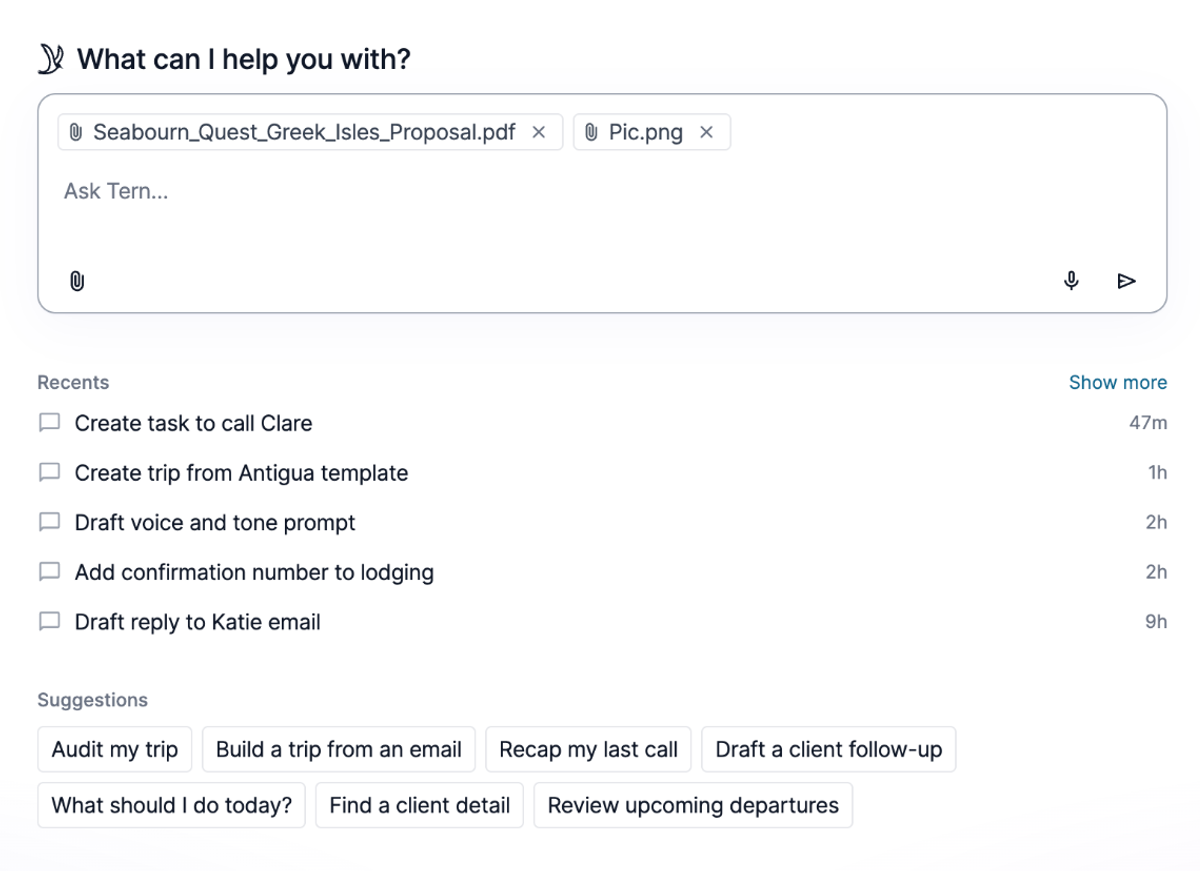
Open AI Chat from any view and it picks up the context automatically. If you're reading an email, AI Chat already has that thread selected, so you can ask it to draft a reply without orienting it first. The same works on trips, contacts, notes, and tasks. Open chat from the page you're on, and that's what it works from. Replies come back in your writing style, which you can set in brand settings.
A few more additions landed this week:
- Attach files to chat. Start a trip from a supplier quote, pull details from a document, or add a photo to work from.
- Add total pricing and payment schedules when you create a new activity, right inside chat.
- Use voice input. Talk through what you need instead of typing it out.
- Watch for tips that appear while AI Chat works, with small suggestions to guide you along the way.
New ways to design your itineraries
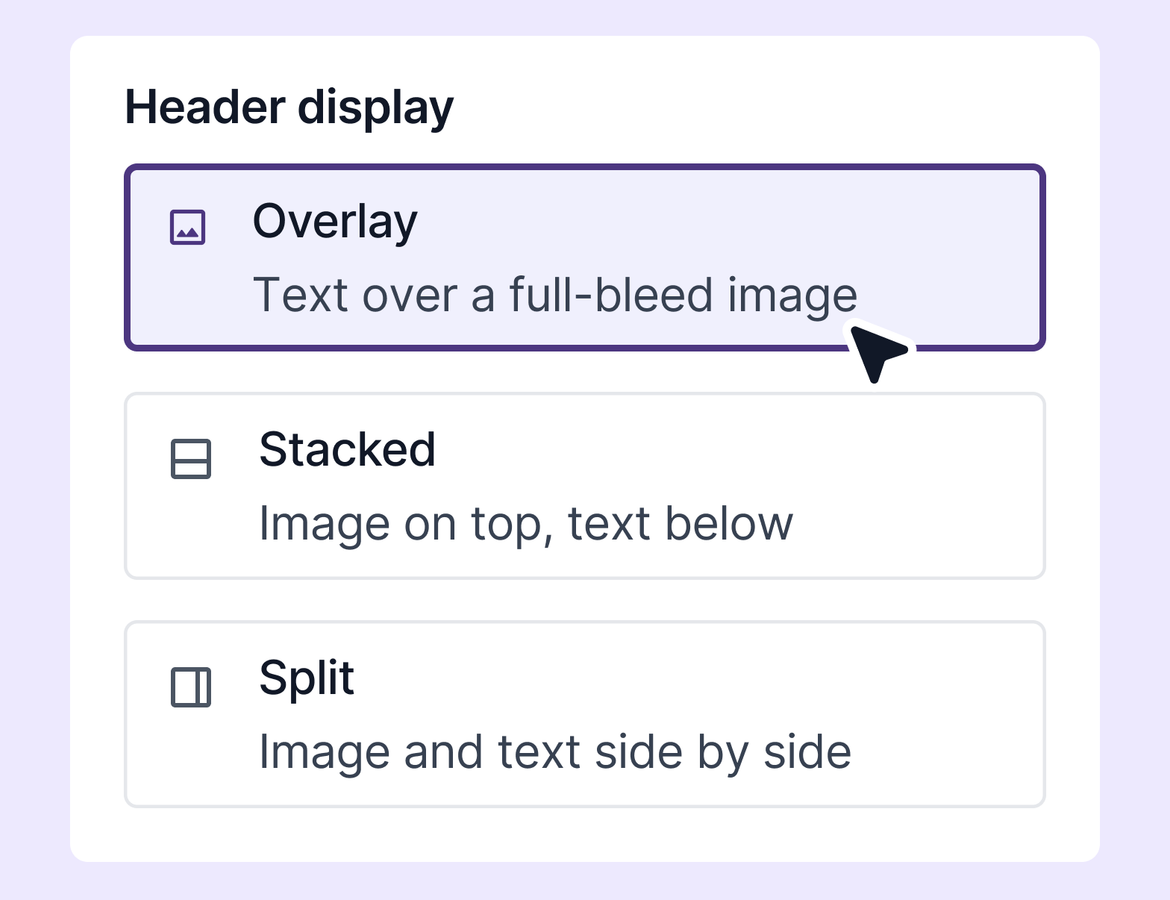
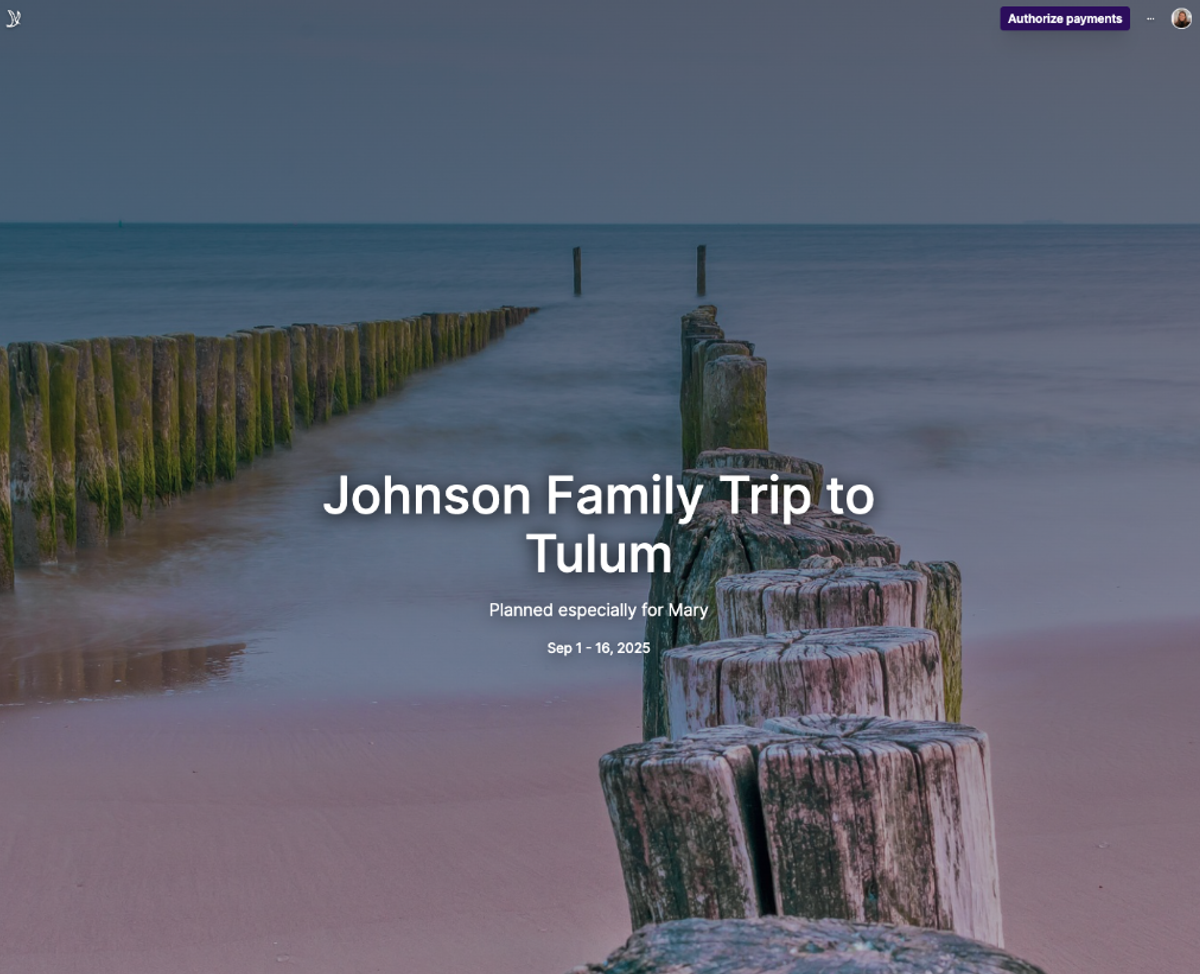
The itinerary edit view now gives you real control over how your work looks. Choose how each section displays: overlay text on a full-bleed image, stacked, or split. Change the font to match your brand. Your advisor logo shows on the itinerary, and there's a new advisor footer at the bottom.
You can set your preferences once in brand settings, so every new itinerary starts with the layout and font you want.
This release also includes a round of refinements based on your feedback. Travelers now order by traveler permission on the overlay view, so the right name shows first. Long titles scale down instead of filling the page. And tabs now scroll to their content when you click them. Some of these are rolling out now and may already be live in your account.
Bulk-update consortia preferences
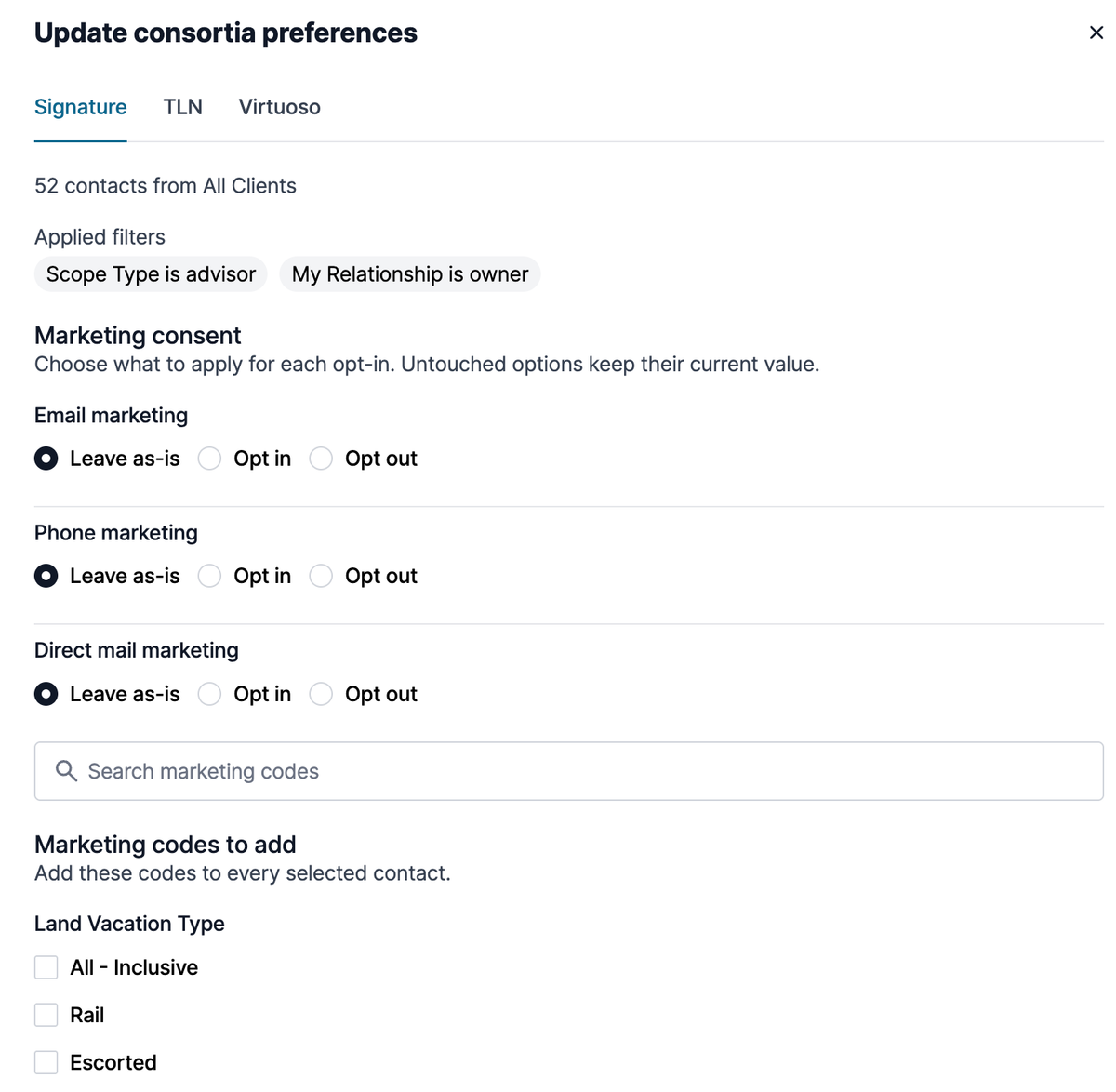
Updating client preferences for your consortia used to mean exporting your list, tagging contacts, setting preferences, and re-importing the whole thing. That's done.
Go to your client report, filter by tag or date added, and update consortia preferences directly. You can set email marketing, phone marketing, direct mail, and marketing codes for each contact, specific to each consortia integration. Filter down to a segment like a tag or a date range and update in batches as clients get added.
This works for Travel Leaders Network and Signature today, with Virtuoso in beta. More on that soon.
Quality of life
- See your AI usage in settings under Subscriptions, with a link to a full explainer. Worth a look before limits take effect on July 1.
- Accreditation selection now lives on the booking and pricing tab. Because it comes first, the commission section tailors to the accreditation type you choose, so you see the right commission options up front. The booking submission process itself is unchanged.
- A last updated column is now in sales and commission reports. If you audit bookings, you can sort and filter on it, then click through to any booking you want to review.
- AI commission reconciliation handles larger files better. And when a line item has no matching supplier, it now goes to review with the details we have, so you can pick the right supplier instead of having the line item dropped and rebuilt by hand.